
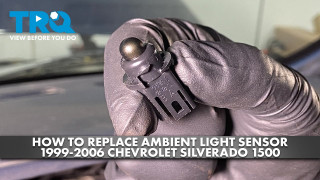
How to Replace Ambient Light Sensor 1999-2006 Chevrolet Silverado 1500
Created on: 2023-09-15
This video shows you how to install a new ambient light sensor from TRQ on your 1999-2006 Chevrolet Silverado 1500.
Tools needed
-
Gloves
Phillips Head Screwdriver
7mm Socket
Ratchet
Trim Tool Set
Safety Glasses
In this video I'm going to show you how to replace the ambient light sensor in this Chevy Silverado. Let's get into it.
We're going to move the steering column down. Just adjust the lever down, step on the brake. We'll turn the key on and shift all the way down to first gear. You don't have to have the battery connected, and just grab under here. Make sure your foot is still on the brakes so the truck doesn't roll. Slide this out, then I'm going to shift it back to park and turn the key off.
Now we're going to pull the radio out. There's two little tabs on the side, push those down while you pull, and slides right out. Grab the antenna wire, disconnect that, you just pull it straight back. And then there's a connector right here, push down on the connector, slides out.
You can see where the ambient light sensor is way in the back there. You can try to grab it from the location of where the radio is, but it's not that easy, you need pretty small hands. So we're going to take it apart further, but you can always try this first.
Take these A pillars out, I'm just going to use a trim tool, get in from the top. They slide out like that, and just slide up. You can see where there's a pin, take both of those out.
Side cover, let's pull those off on both sides using a Phillips head screwdriver. Take these two screws out, grab that panel, slide it off.
Two screws, Phillips head screwdriver, we're going to take these vent covers off. You can just grab inside, you want to be careful not to break them, but these come out like that, and you can grab this, just slides out. You could also use a trim tool. This one will take out the whole thing, so it just pops out like that. You don't necessarily have to take the center out.
Use a Phillips head screwdriver, take this screw out, and this one over here as well. Inside here you're going to reach, and there's two little tabs that you want to push towards the center, that's going to take this bar out. And just try to grab the bar, the bar slides right out. It can be a little bit sticky so you really got to yank it hard while you're pushing that down.
We're going to remove these screws, use a seven millimeter socket. Foreign you just need the screws that screw into the panel, so this one's fine, take that one out, and continue on removing these.
Just grab the top panel, just forcefully pull back. There's some clips that clip that in. Lifting that up, you can see reaching your hand through the radio and grab the ambient light sensor. Twist it to the left, slide it back. You can see where you can disconnect it from the connector there. Just lift up on that tab and slide it off. There it is.
We're raising this up again. Sensor, line it up in the connector, lock it down and slide it in position. Twist it, lock it in place.
And Slide the front part of the dash in and tap it in and put the screws in, snug those down. All right, and put these screws in. Line this bar up, push it in, it only goes one way. Put the heater control ducts in.
Foreign just gotta line it up a little bit. Put this cover back in, lock it down and reinsert it. Put these screws in on the side. Take the cover, line it up, lock it down. Put the screws in on this side, tighten them down. Line it up, lock it down.
Put the A-pillars back up. Slide them down below first, get the pins lined up, lock it down. The same on the other side.
Foreign that up Take the antenna wire, get that connected, push that in all the way. Make sure the wires are out of the way and push it all the way down. Turn the key in the on position and shift the vehicle down, make sure your foot is on the brake.
Take this cover, slide it over, get it all lined up, push the bottom in first and the top all the way on. Shift into park, turn the key off.
Only the best, we'll do, demand TRQ. The only company that lets you view before you do. TRQ is committed to offering the highest quality aftermarket auto parts that are engineered with peace of mind. Thanks for using and viewing with TRQ.

How to Replace Ambient Light Sensor 2014-19 Chevy Silverado
How to remove, install, change or replace an ambient light sensor on 14, 15, 16, 17, 18, 19 Chevy Silverado
