

★★★★★
August 7, 2026
Turn signal assembly
Fast delivery

Replaces


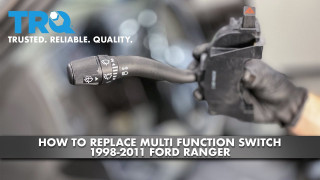

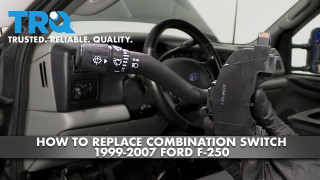
About TRQ:
TRQ is a trusted brand dedicated to making every repair a success story by combining premium parts with easy installation. Each TRQ part is engineered by a team of automotive experts to meet or exceed OEM standards, delivering enhanced performance and maximum longevity. With rigorous in-house testing, the brand ensures superior fit and function across every product line. TRQ also provides customers with best-in-class, step-by-step installation videos—so you can complete repairs with confidence, whether you're a first-time DIYer or an industry professional.
Returns: Parts with electrical components cannot be returned once installed.
Attention California Customers:
 WARNING: This product can expose you to chemicals including Lead and Lead Compounds, which are known to the State of California to cause cancer, and birth defects or other reproductive harm. For more information, go to www.P65Warnings.ca.gov.
This part fits 8 vehicles spanning 2002-2011.
| Year | Make | Model | Description |
|---|---|---|---|
| 2002-2007 | Ford | F250 Super Duty Truck | Ford F250 Super Duty Truck Turn Signal Combination Lever TRQ SWA41802 |
| 2002-2007 | Ford | F350 Super Duty Truck | Ford F350 Super Duty Truck Turn Signal Combination Lever TRQ SWA41802 |
| 2002-2003 | Ford | F450 Truck | Ford F450 Truck Turn Signal Combination Lever TRQ SWA41802 |
| 2002-2003 | Ford | F550 Truck | Ford F550 Truck Turn Signal Combination Lever TRQ SWA41802 |
| 2004-2011 | Ford | Ranger | Ford Ranger Turn Signal Combination Lever TRQ SWA41802 |
| 2004-2010 | Mazda | B2300 Truck | Mazda B2300 Truck Turn Signal Combination Lever TRQ SWA41802 |
| 2004-2008 | Mazda | B3000 Truck | Mazda B3000 Truck Turn Signal Combination Lever TRQ SWA41802 |
| 2004-2010 | Mazda | B4000 Truck | Mazda B4000 Truck Turn Signal Combination Lever TRQ SWA41802 |
| Brand Label | Part Number |
|---|---|
| Wells | 1S3122 |
| Wells | SW3402 |
| Standard Motor Products | CBS1158 |
| Ford | 2C3Z13K359AAA |
| Standard Motor Products | CBS1122 |
| Standard Ignition | CBS-1158 |
| Airtex Engine Management | 1S1443 |
| Carquest Premium Vehicle Solutions | SAE1235 |
| Wells | 5364385 |
| Original Engine Management | TSS78 |
| Wells | 53-64385 |
| Wells | SW1497 |
| Niehoff | CS4421 |
| Duralast | SW1497 |
| Shee-Mar | SM132 |
| Autopart International | 1802-302316 |
| Hollander | 629-00665 |
| Hollander | 629-00486 |
This item may be interchangeable with parts from other brands with the above part numbers. This information is provided only for reference and does not guarantee that the item you are purchasing is identical to parts with part numbers from the brands listed above. To confirm that this item fits your vehicle, use the above "Check Vehicle Fit" option.
Lifetime Warranty
This item is backed by our limited lifetime warranty. In the event that this item should fail due to manufacturing defects during intended use, we will replace the part free of charge. This warranty covers the cost of the part only.
Returns: Parts with electrical components cannot be returned once installed.
FREE Shipping is standard on Orders shipped to the lower 48 States (Contiguous United States). Standard shipping charges apply to Hawaii, Alaska and US Territories. Shipping is not available to Canada.
Expedited is available on checkout to the United States, excluding Alaska, Hawaii and US Territories as well as P.O. Boxes and APO/FPO/DPO addresses. Final shipping costs are available at checkout.
Created on:
Tools used
Brought to you by 1AAuto.com, your source for quality replacement parts and the best service on the Internet.
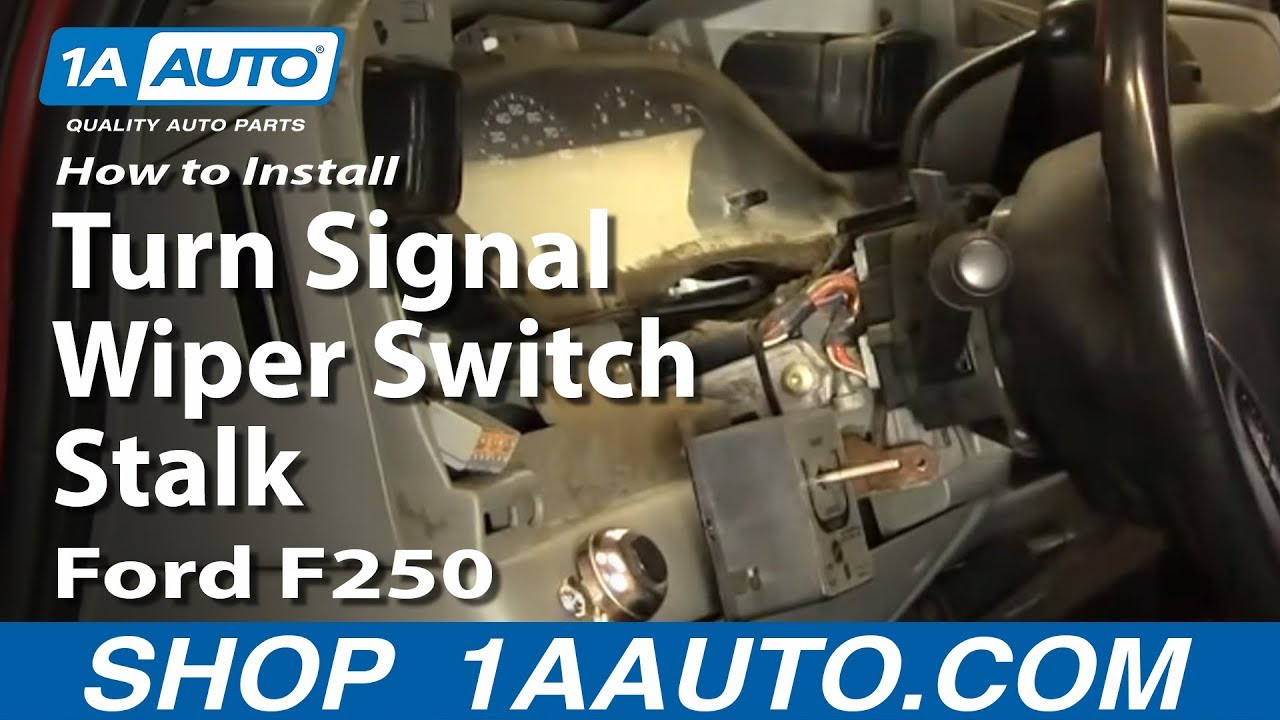
In this video, we're going to show you how to replace the multi-function switch, which is the turn signal, high beam and wiper switch on this 2003 F250, same as most of the super duty trucks from this era.
Tools you'll need are an 8mm wrench, a flat blade screwdriver, a Phillips screwdriver, T20 Torx driver.
With the eight millimeter wrench, disconnect your negative battery cable.
With a flat blade screwdriver the switch just pulls out. There's two connections. Press a tab here and then tab there, disconnect. You going to want to put your finger nails or grab a hold of your dash and pull it back. It just unsnaps. From this side, put your shifter down. Pull out and there are two connectors, one for your cigarette or power outlet here. There's a little tab on the inside of that. You disconnect this one here and if you look, you want to press on the tab right there. This up here just has a tab right on top. It unplugs quite easily.
Pull your dash up and radio out. Disconnect the antenna, and then the tab on the bottom of your radio connection, pull that out. Pull this panel out. To make reinstallation easier, there are two clips on the side of your radio. You push them in and your radio slides right out. You're going to want to remove your lock cylinder. You need to use a Torx, wrench, or something that has a flat tip on it. There is a hole right underneath your key. Feel in for the spot on the block cylinder. With key in the on position, just push up and the key comes right out.
You can use a small adjustable wrench to remove your tilt level. Underneath there are three Phillip screws. There's one in there, one in there, and then one right up in there. There's two indentations on that tilt lever. You can hook a wrench on them and loosen it, and then removing the three screws, the third screw is in the hole that's closest to the steering wheel, pops down, pull this out and off. There's two T20 screws: one there and then one right up under here. Just speed up here as I remove those two T20 Torx screws. Now you can pull your switch off. This tab on top here, disconnect that, and then a tab on the inside of this other connection take that off.
There's your switch out. On this new switch from 1A Auto, all the graphics are nice, and it's going to work correctly. You might also see that we cleaned up behind our panel a little bit. It's going to plug in exactly the same. Put the lower one in and then the upper one. Put the switch in place. Just speed it up again here as I put those two mounting screws for the switch back in place and tighten them up snug. You don't want to over tighten them, though.
Now you want to put your top panel in place. Pull it down and around the ignition switch. The bottom one drops in. It kind of snaps together on this side, a little bit. Make sure it snaps together correctly on this side. I hit fast-forward here as I just put those three Phillips screws back in to hold that together. Put this preliminarily in place. Connect your air bag switch over here and your power outlet.
In the top of the radio opening, there are two 7mm bolts you'll want to loosen up. That allows the panel to slide right on. You don't want to tighten these too much because you want to be able to get the panel off again but you want to make them seated so nothing rattles. Take the radio and plug the harness in, plug our antenna in, and make sure it gets onto the track, slide that in, plug in the harnesses. Make sure it lines up. This pin goes on the bottom. Make sure it can go in, so you might have to hold it and turn it a little bit. When that pin pushes down put it in. You have to twist it a little bit and you're all set. Then reconnect your negative battery cable.
We hope this helps you out. Brought to you by www.1AAuto.com, your source for quality replacement parts and the best service on the Internet. Please feel free to call us toll-free, 888-844-3393. We're the company that's here for you on the Internet and in person.
Fast delivery
So far it works and has solved the problem. The overall quality of the part is not up to par with what I've been used to with 1a auto stuff. Overall feels cheap. Not a very positive click or detent when signaling left or right turn. Easily pops out of position when turning. The know for the whipers is weak and cheap feeling as well. Time will tell how long this thing lasts
Easy install
Nice product but it isn't the same shape as the OEM one and is very close to the steering wheel. Nice smooth operationally.
Great park works perfect
Everything I ordered works fine and arrived on time.
Item was shipped USPS in a paper envelope. When received it was broke in half. Waited 3 weeks after initial order to finally get a working part. Customer service was great.
Better then stock. Also doesn't look as goofy.
Great place to get parts , prompt and I got the right part the first time . Great job guys !
The price was right. It fit perfectly, solved the turn signal problem, and works smoother than the original! I would highly recommend this product.

SWA41802
Yes, this will be able to control this function as well.
Full click. Hold it down if you dont want it to click and it will still flash.
Yes
It is possible that the pin layout is different between the two that is why we do not have it listed for the 1999-2001 models.
High beams yes! No for cruise control
